
Resend sends the automatic emails from your site — the "thanks, we got your message", the booking confirmation, the receipt. Your customers never see its name.
Why not Gmail? An email sent by a website from a Gmail address usually lands in spam. Resend sends from your domain and proves to Gmail and Outlook that it is really you.
Two steps, and the second is the point. Create the account, add me. Anything technical after that is mine.
Time: five minutes. All you need is an email address.
Step 1 — Sign up
Go to resend.com and click Sign up. Use an email and a password, or the Google or GitHub buttons — they read "Log in with", even though this is the page that creates the account. Confirm the email Resend sends you.
Use your own business email. Whoever owns the email owns the account.
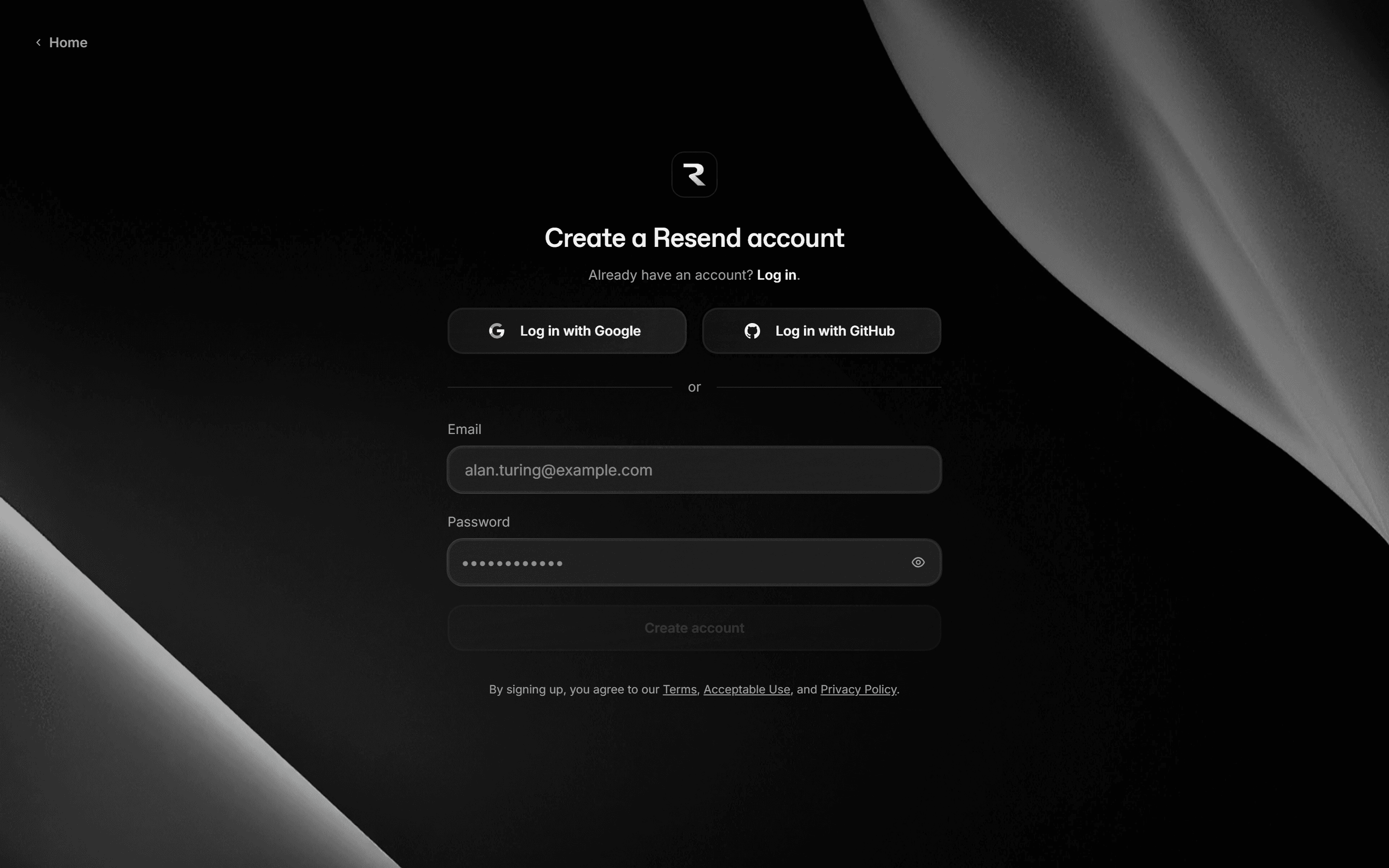
That is the account made. Do not set anything else up — the next step hands the rest to me.
Step 2 — Add me to your team
- In the left menu, click Settings, at the bottom.
- Open the Team tab.
- In the Members box, click Invite.
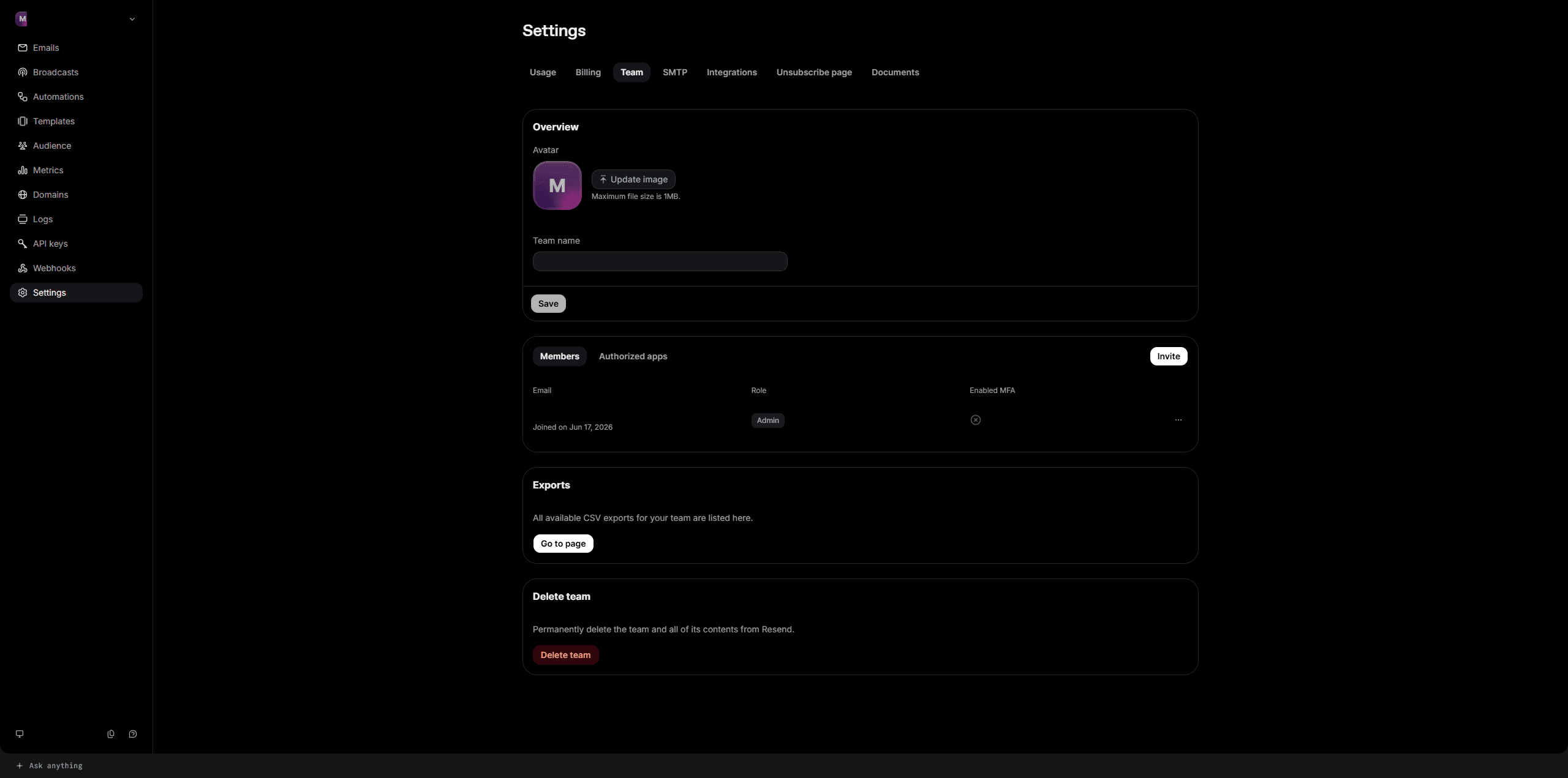
- Enter [email protected]
- Leave the role on Admin — Resend selects it for you.
- Click Invite.
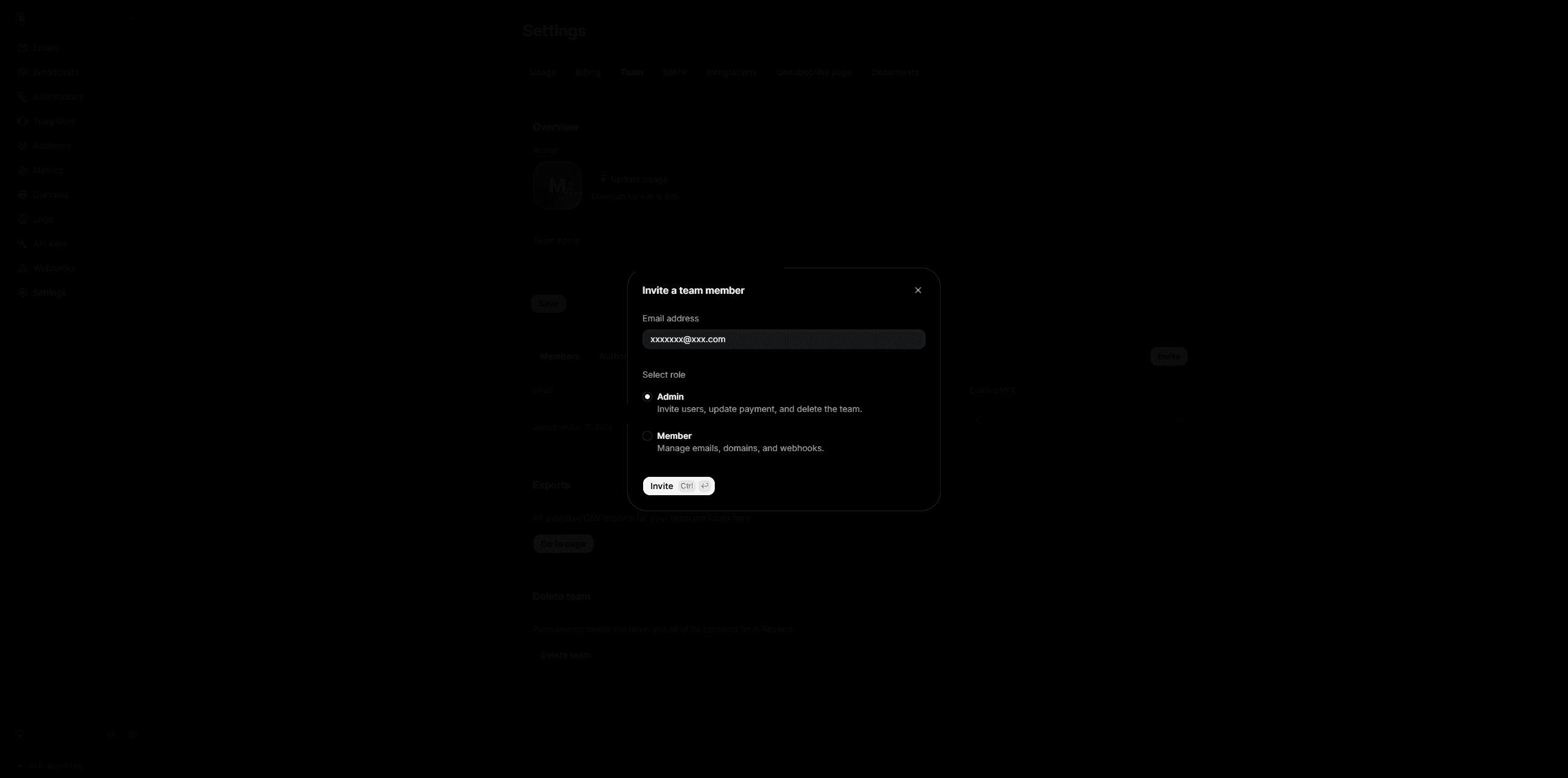
Why Admin here, when I ask for less on Stripe and Cloudflare. Resend only offers two roles. The lower one, Member, is described as "manage emails, domains, and webhooks" — and says nothing about API keys, which is the one thing I need to connect your site. Rather than have you send an invite that turns out not to work, I ask for the role I know does.
What Admin can do, in Resend's own words: "invite users, update payment, and delete the team." That is the entire list. A Resend account holds no money. What it holds is your sending setup and a log of what your site sent and to whom. If I deleted the team, your forms would stop emailing you and I would be rebuilding it at my own cost.
No Team tab? Do not upgrade to find one. Tell me and I will set the sending up another way.
This lets me connect your site, verify your domain so your emails arrive instead of going to spam, and check whether a message was delivered when a customer says they never got it. Looking at a delivery log myself is the difference between five minutes and a day of forwarded screenshots.
Remove me any time from the same screen.
Common snags
"I already have business email." They do not conflict. Your Google Workspace or Outlook inbox is for you writing to people. Resend is for your website writing to people. Same domain, no interference.
"What does it cost?" The free tier covers most small business sites easily. Current limits: resend.com/pricing. If you ever outgrow it I will tell you before you hit the wall.
"I already have Resend." Skip to Step 2.
You are done
That is Resend finished. Two steps, and the rest is mine.
If we are working together, message me once the invite is out — [email protected] or (360) 921-0148. I will verify your domain, connect your site, and test it by filling in your own contact form to confirm the email lands.
After that you get an email whenever somebody fills in a form on your site. Tell me if you want those going somewhere else.
Why Resend, and not Mailchimp or SendGrid
Skip this. It changes nothing about what you need to do.
There are two completely different kinds of email and they get confused constantly. Marketing email is a newsletter to a list. Transactional email is one message triggered by one person doing one thing — a booking confirmation, a receipt, a password reset. Your site sends the second kind.
Mailchimp is a marketing tool. Using it for confirmations is possible and awkward, and you pay for a contact list you do not have.
SendGrid does transactional email properly and is the old default. Its free tier has been cut repeatedly and the interface shows its age. Nothing wrong with it; nothing better about it.
Gmail or Outlook SMTP — sending straight from your own mailbox — is what most small sites do, and it is the reason so many confirmation emails land in spam. Providers rate-limit it and treat bulk automated mail from a personal mailbox as suspicious.
What Resend gives you here: it does one thing, the delivery logs actually tell you why a message failed, and the free tier comfortably covers a local business. If a customer ever says "I never got my confirmation", I can tell you in a minute whether it was sent, delivered, or bounced — and that question comes up more than you would think.
Stuck? [email protected] or (360) 921-0148. A screenshot beats a description.


Comments