
Stripe takes the card payments on your site. Money goes from your customer, through Stripe, into your bank. It never touches me.
The account is yours. Registered to your business, paid into your bank, and if we stop working together you keep it untouched. You can remove my access in two clicks, from the same screen you granted it on.
Time: 20 minutes, plus a day or two for Stripe to verify you.
Step 1 — Sign up
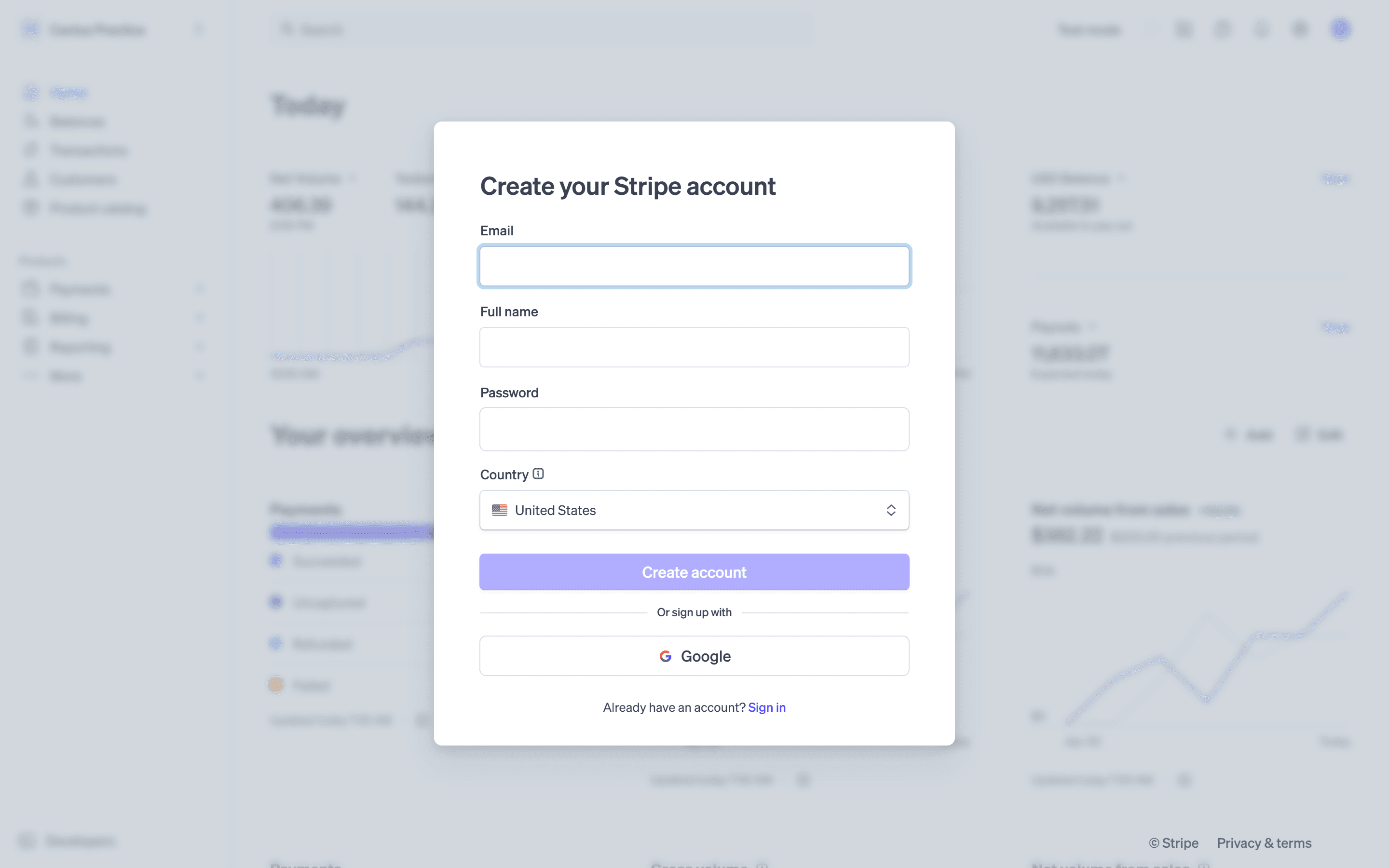
Go to stripe.com, click Sign in, then Create account. Or go straight to dashboard.stripe.com/register.
The form asks for four things — email, full name, password and country. There is a Google button underneath if you would rather not make another password. Then click the confirmation link Stripe emails you.
Use your own email. Whoever owns the email owns the account.
Step 2 — Tell Stripe about your business
Stripe has to verify you before it will pay you. Every payment processor does — it is the law, not a Stripe quirk.
Have ready:
- Business type — sole proprietor, LLC, corporation. A one-person business is usually sole proprietor.
- EIN, or your SSN if you are a sole proprietor without one.
- Business address and phone.
- What you sell, in a sentence.
- Bank account and routing number — where your money lands.
- Photo ID, sometimes.
Use your real legal details. A mismatch between your bank and your business name is the most common reason payouts get held up.
Step 3 — Add me to your team
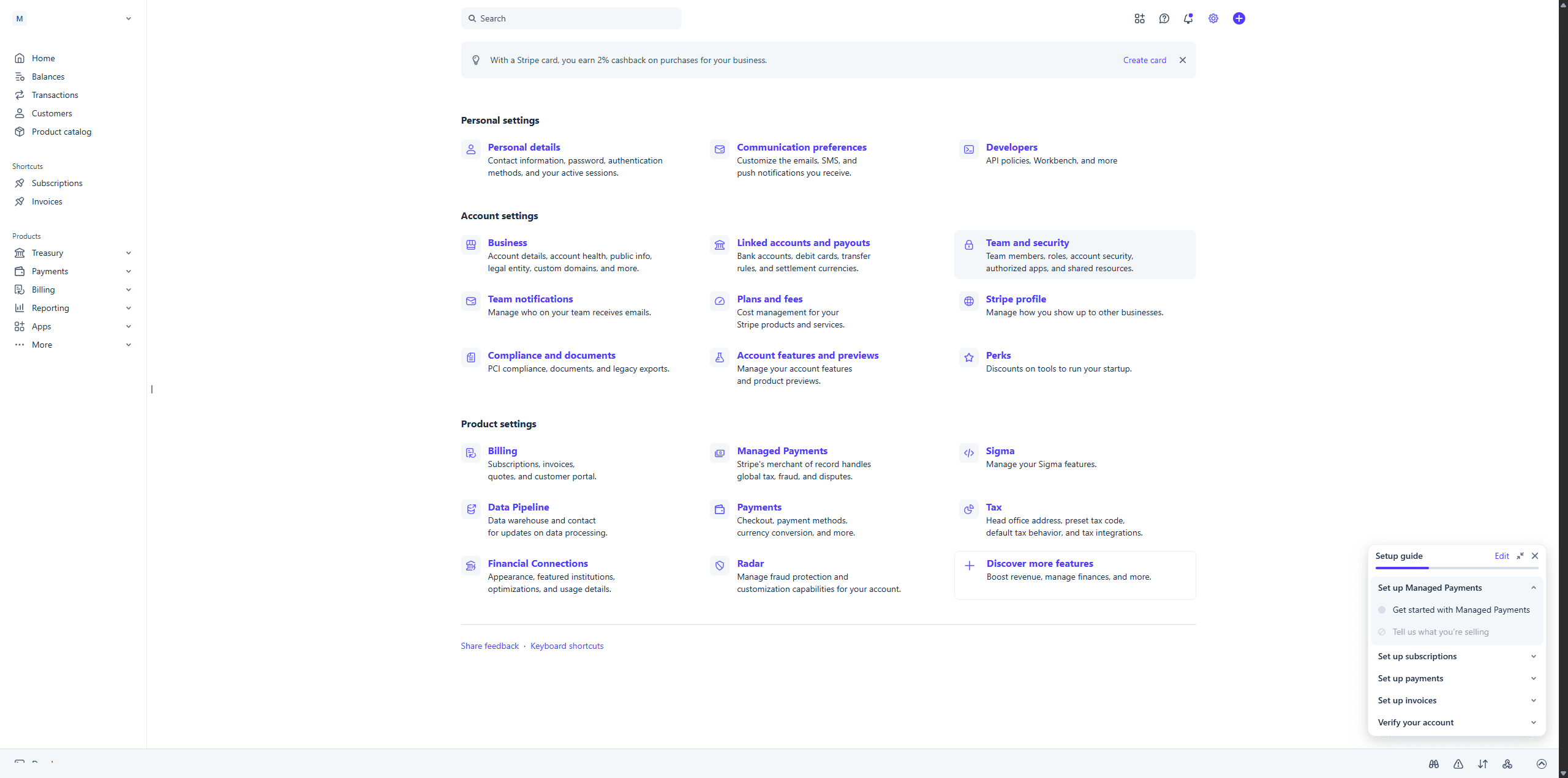
- Click the gear icon, top right.
- Under Account settings, click Team and security.
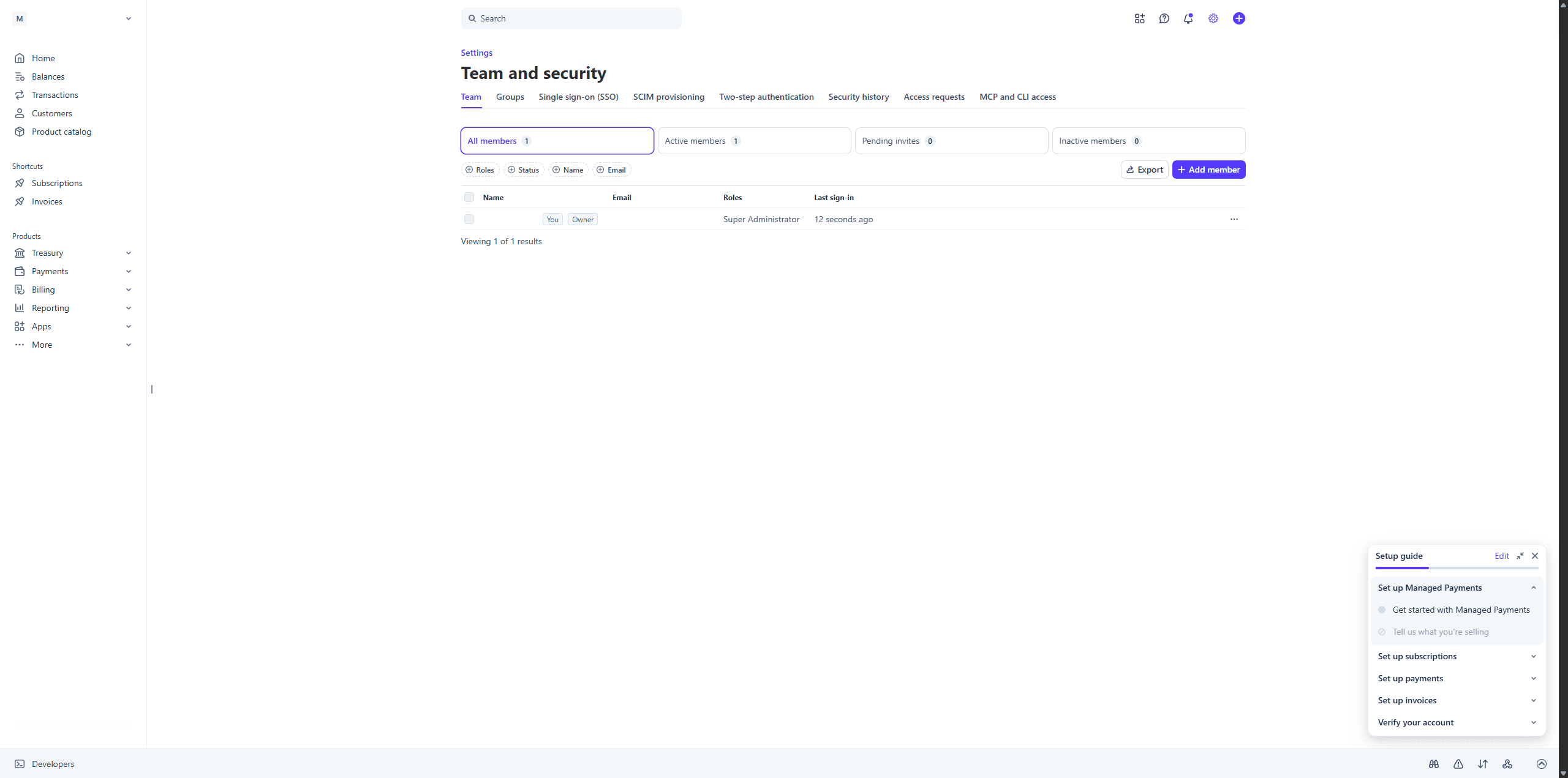
- On the Team tab, click Add member.
- Enter [email protected]
- Untick "Super Administrator" — Stripe ticks it for you — then tick Administrator just below it.
- Click Send invites.
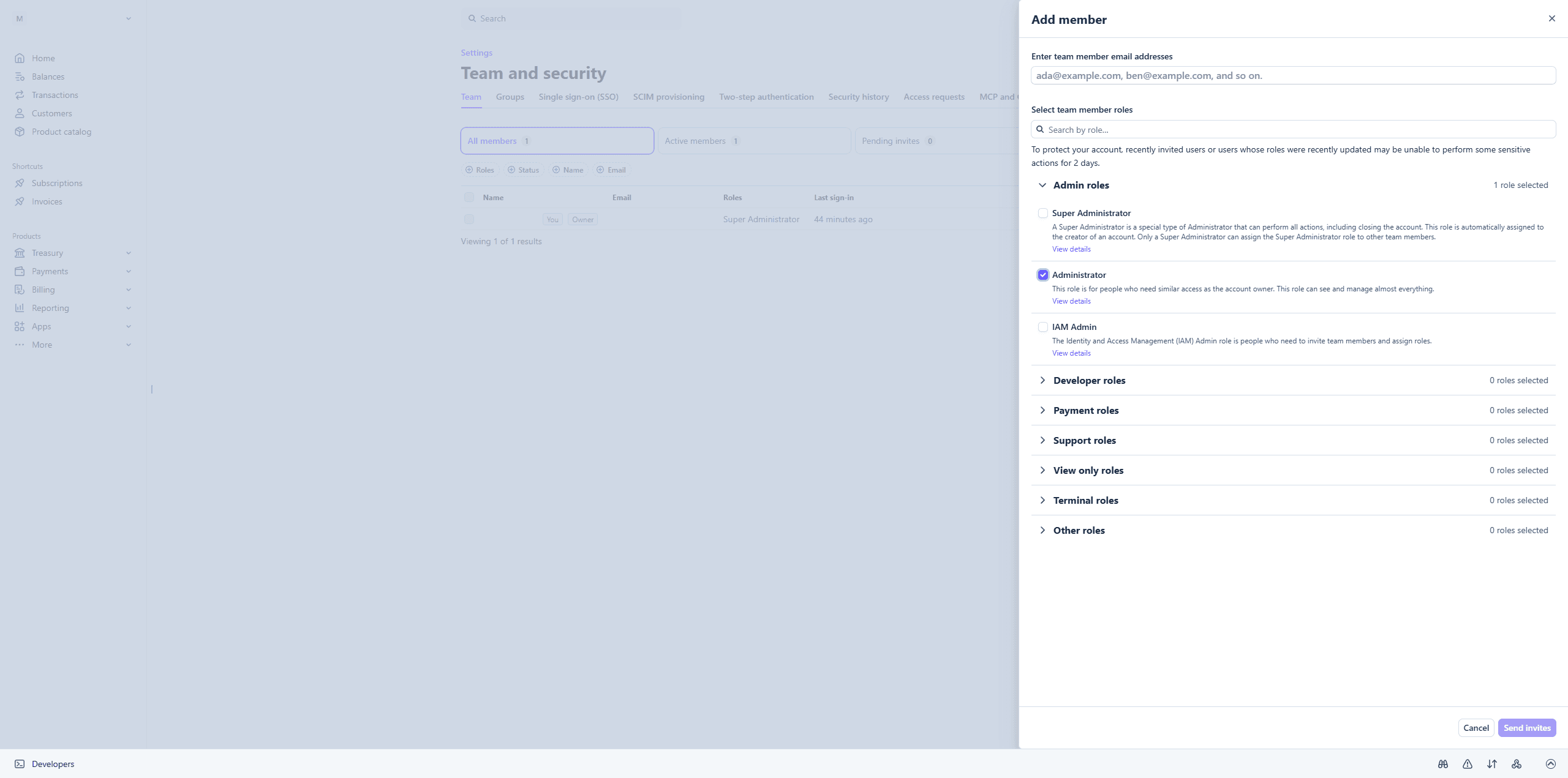
Step 5 is the one that matters, and Stripe's own wording on that screen is the reason. Super Administrator "can perform all actions, including closing the account." Administrator, directly below it, is "for people who need similar access as the account owner" and "can see and manage almost everything."
What Administrator gives me is everything the work needs: your checkout, API keys, webhooks, and the payment log I debug from when a customer says their card was declined.
What it does not give me is the ability to close your account, or to hand Super Administrator to anyone — including myself. Those two stay yours, and Stripe enforces it rather than me promising it.
Everything I do is logged under Security history, a tab on the same page you just used. And you can remove me in two clicks from that page: no notice, no reason needed, nothing on your site breaks except my access.
Common snags
"My account is restricted." A missing detail from Step 2. Stripe says which at the top of your dashboard.
"I have no EIN." Your SSN works. Or get an EIN free from the IRS site in ten minutes.
"What does it cost?" A percentage per payment plus a small fixed fee. No monthly charge, no setup fee. Current rate: stripe.com/pricing.
"I already have Stripe." Skip to Step 3.
You are done
That is Stripe finished. Nothing else is needed from you.
If we are working together, send me a message once the invite is out — [email protected] or (360) 921-0148. I will accept it and build your checkout. You do not need to wait for Stripe to finish verifying you; I can work while that is in progress.
Once payments start coming in, Payments lists every transaction, Balance shows what is due to land in your bank, and Payouts shows what has already been sent.
Why Stripe, and not PayPal or Square
Skip this. It changes nothing about what you need to do — it is here because people ask, and because you deserve a reason rather than "trust me."
PayPal is the obvious alternative and I avoid it for one reason: it has a long record of freezing balances on small businesses with no warning and slow appeals. Your money sitting in limbo for weeks is a worse outcome than any fee difference. Stripe can hold funds too, but it is rarer and the process is clearer.
Square is genuinely good if most of your sales happen in person — the card reader and point-of-sale side is better than Stripe's. For a website, its checkout is less flexible and harder to build into a custom site.
Shopify Payments only works if your whole site is Shopify. That is a reasonable choice for a pure online store, and a bad one if you want a site that is yours rather than rented.
What Stripe gives you here: no monthly fee, so it costs nothing on a quiet month. A checkout I can build into your site rather than bolt on. Fraud screening included. And an account registered to your business, not to me — which is the part that matters if we ever part ways.
Stuck? [email protected] or (360) 921-0148. Send a screenshot if your screen does not match this guide — Stripe redesigns often, and I would rather fix the guide than have you guess.



Comments